How to make money in Become a Youtuber
Money comes from ad revenue on every view, sponsor offers, ad boosts and live-stream donations. Buy gear that raises money per hour, spend sponsor cheques on the next camera tier, and never leave the upload slot empty.
Money in Become a Youtuber! comes from four places, and they are not equal. Ad revenue on views is the floor, sponsor offers are the spike, ad boosts are the multiplier, and cosmetics are not income at all.
Where the money actually comes from
| Source | How it arrives | Best for |
|---|---|---|
| Ad revenue per view | Every view on every video pays a small amount, forever | Steady income you can plan around |
| 2x Money pass | Doubles ad revenue on every view, permanently | Any player past their first hour |
| Sponsor offers | A brand pays a lump sum for a place in your next video | Funding the next big upgrade |
| Ad boosts | Claimable spikes that raise what videos earn for a window | Riding a video that is already climbing |
| Live stream donations | Viewers donate during a stream | Sessions where you want money without spending an upload slot |
The backbone is ad revenue per view. Everything else is either a multiplier on it or a lump sum that funds the next upgrade.
The compounding rule
Money per hour is the only number that matters when you are deciding what to buy. An upgrade that raises money per hour pays for itself; an upgrade that does not is a decoration.
That gives you a simple test before any purchase:
- Look at your money per hour before buying.
- Buy the upgrade.
- Look again.
If the number moved, buy the next tier of the same thing. If it did not, you bought the wrong category, and the Creator Shop guide explains which categories move it.
Sponsor money and when to take it
Sponsor offers appear as a brand asking for a place in your next video. They pay in cash — early ones are small, later ones scale with your channel, and it is possible to see offers worth more than an hour of ad revenue.
Rules that hold up in practice:
- Take offers you can use immediately. Money sitting in your balance is doing nothing; money in a camera tier is doing work.
- Do not skip offers to "save" them. They are not a limited resource, and the video goes out either way.
- Compare against your per-hour rate. If an offer pays less than the income you would lose by filming a sponsored video instead of a trending one, it is a bad trade.
Ad boosts, streaks and gifts
Boosts are claimable multipliers — the game hands them out and the daily rewards page covers the full list. Two things to know:
- Stack boosts on a video that is already climbing. A boost on a cold video multiplies almost nothing.
- Claim the daily streak and the playtime gift before you spend money. They cost you nothing and they are income.
The Double Rewards pass (149 R$) doubles streaks and playtime gifts — cheap, but it only pays out for players who log in daily. If you play once a week it does less for you than the same Robux in the 2x Money pass.
Reading money per hour properly
The stats board shows your income in per-hour terms, which is how the game itself thinks about money. Full explanation is on the money per hour page, but the short version:
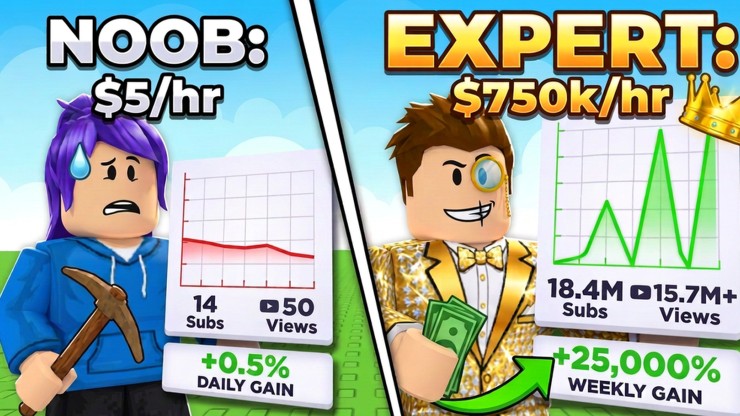
- $/hr is your speed. Upgrades buy speed, not balance.
- Daily gain is the 24-hour trend. If it is falling while your balance grows, your channel is decaying.
- Weekly gain is percent, not cash. A big percentage on a small channel is still a small amount of money.
What to do with the first big payout
When you land your first genuinely big sponsor cheque or a viral upload, resist the theme shop. The order that keeps compounding:
- Next camera tier
- Lighting, if it has not been upgraded
- Staff, once videos are queuing faster than you can film them
- Cosmetics, using the VIP Creator pass rather than buying them one by one
Then keep the loop honest: film, upload, reply, re-check trends, repeat. The views guide covers the half of the problem money cannot fix.